Reviews
Description
Game Introduction
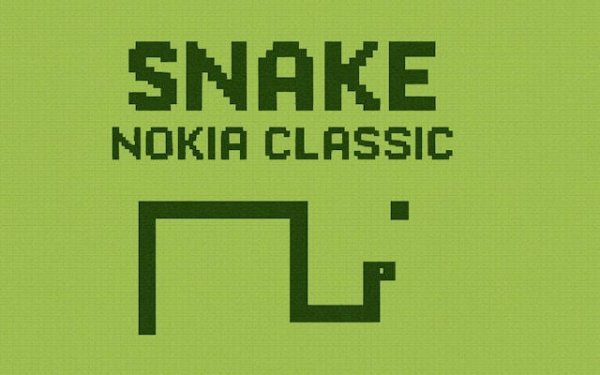
Retro Snake Classic Arcade is a browser-based recreation of the classic snake game that became popular on early mobile phones. Players control a pixelated snake on a glowing green grid, reminiscent of old phone screens. The main goal is to eat flashing food items that appear randomly on the grid. Each piece of food makes the snake grow one segment longer and increases the player's score. As the snake grows, navigating becomes more challenging because the player must avoid colliding with the snake's own tail. This simple yet engaging test of reflexes and planning appeals to players of all ages. It offers a nostalgic arcade experience that can be played instantly in any web browser without downloads or installations.
How to Play
Playing Retro Snake Classic Arcade is straightforward. On desktop computers, players typically use the keyboard arrow keys (up, down, left, right) to change the direction of the snake. On touchscreen devices, swiping in the desired direction controls the snake. The player guides the snake's head to the flashing food items on the grid. Each food piece eaten makes the snake grow longer and adds to the score. The game ends if the snake's head hits any part of its own tail. The objective is to survive as long as possible to achieve the highest score. Controls are responsive and easy to learn, making the game suitable for quick breaks or longer play sessions.
Game Features
Retro Snake Classic Arcade features authentic retro visuals with a glowing green pixel grid that recreates the classic look. Simple keyboard and touch controls ensure compatibility across various devices. The game runs instantly in a browser, requiring no downloads or installations. It offers endless replayability through high score challenges. The game is a faithful recreation of the classic snake experience, capturing the simple, engaging gameplay that defined a generation of casual gaming.
Tips for Success
Practice regularly to improve your reflexes and planning skills. Learn to anticipate the snake's movement and plan ahead, especially as it grows longer. Focus on collecting food in open areas rather than near walls or your own tail. Take short breaks to maintain concentration, as the game requires steady focus. Challenge yourself to beat your own high score to stay motivated and track improvement.