Mini Arrows Retro Puzzle
TAP TO PLAY

Mini Arrows Retro Puzzle

Arcade Retro Pixel
Developer: Grass Interactive
Published: 2024-03-11
Updated: 2026-06-06

Reviews

Mini Arrows offers a satisfying mix of logic and timing puzzles. Each level requires thoughtful planning, and the speedrun mode adds replay value. The controls are simple, and the retro visuals are appealing. It is a relaxing game that sharpens problem-solving skills without pressure.

Description

Game Introduction

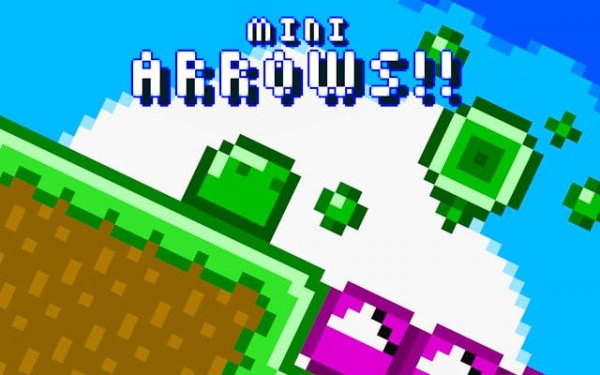
Mini Arrows Retro Puzzle Game is a brain-teasing adventure set in a vibrant pixelated world. You control a lovable blob character through cleverly designed levels, using special arrow blocks to change directions and unlock safe paths. The game balances logic and timing, rewarding careful planning over fast reflexes. Perfect for all ages, it offers a nostalgic retro aesthetic with fresh puzzle mechanics, making it ideal for casual play and puzzle lovers alike.

How to Play

To play, toggle arrow blocks on and off using the X key, Spacebar, or left click on desktop, or tap the screen on mobile. Your goal is to create a safe path for your blob to reach the end flag of each level. Plan each move carefully to avoid obstacles like pits and spikes, and adjust your strategy if needed. Every toggle changes the level flow, so each choice matters as you work toward the goal.

Game Features

Challenging levels that test your logic. Speedrun mode for players who enjoy quick play. Nostalgic retro aesthetics with pixel art graphics. Cross-platform support for desktop and mobile devices.

Tips for Success

Take your time to observe the level layout before making any moves. Plan each toggle of the arrow blocks carefully, as one misstep can lead to a block. If you get stuck, try a different sequence of toggles. Practice makes perfect, so replay levels to improve your strategy and speed.

Compatibility

▸ Desktop: Chrome / Edge / Firefox / Safari
▸ Mobile: iOS Safari / Android Chrome
▸ Tablet: iPadOS Safari / Android Tablet Browser
Keep your browser updated for the best experience
Faq
Is Mini Arrows Retro Puzzle Game free to play?
The game may be available as a free or paid title depending on the platform. Many puzzle games of this type offer a free demo or a one-time purchase. Check the official store page for pricing details.
Can I play Mini Arrows Retro Puzzle Game offline?
Yes, this is typically a single-player puzzle game that can be played offline once downloaded. No internet connection is required for the core gameplay, making it suitable for travel or areas with limited connectivity.
What platforms support Mini Arrows Retro Puzzle Game?
The game supports desktop and mobile devices. On desktop, you can use keyboard or mouse controls, while on mobile you can tap the screen. It may also be available on web browsers or app stores.
Are there any in-app purchases in Mini Arrows Retro Puzzle Game?
In-app purchases are not mentioned in the game description. The game may offer a complete experience without extra costs, or it might include optional purchases for hints or cosmetic items. Verify on the platform store.
How many levels are in Mini Arrows Retro Puzzle Game?
The exact number of levels is not specified, but puzzle games of this type typically include dozens of levels. The game features challenging levels that test your logic, and may include additional content through updates.
Does Mini Arrows Retro Puzzle Game have a leaderboard?
Leaderboards are not explicitly mentioned in the description. However, the game includes a speedrun mode, which may allow players to compare times with others. Check the game's features on the official store for details.
Advertisement