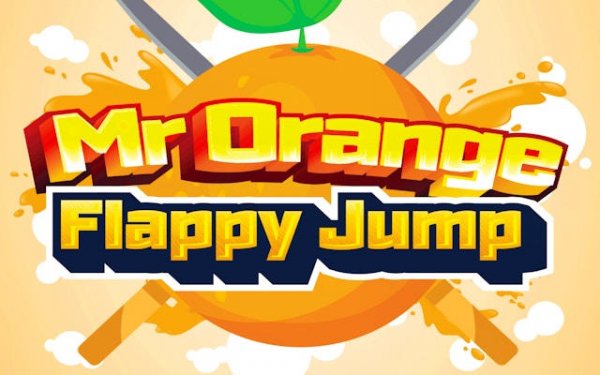
Orange Flappy Jump Arcade
TAP TO PLAY

Orange Flappy Jump Arcade

Clicker Skill Tap
Developer: Demolition Shift Studio
Published: 2025-07-13
Updated: 2026-06-09

Reviews

Mr. Orange Flappy Jump Adventure delivers a polished take on the flappy genre. The character is endearing, and the controls are responsive. The gradual increase in difficulty keeps each attempt engaging. It is easy to pick up and offers good replay value as you work to improve your score. A reliable choice for casual play.

Description

Game Introduction

Mr. Orange Flappy Jump Adventure Arcade Game is a browser-based arcade game that puts you in control of a cheerful character with large, flappy ears. The goal is simple: guide Mr. Orange through a series of obstacles by timing your flaps to maintain altitude and pass through narrow gaps. The game draws inspiration from classic flappy mechanics but adds a fresh visual style and smooth controls. It is designed for players of all ages, offering a clean and engaging experience without any downloads or payments. The challenge increases as you progress, with faster speeds and more complex obstacle patterns. This game is ideal for those who enjoy testing their reflexes and improving their score over time.

How to Play

To play Mr. Orange Flappy Jump Adventure, use a quick tap or click to make Mr. Orange flap his ears and gain height. Release to let him descend. The key is to time your taps precisely to move through gaps between obstacles. Avoid touching the ground or the barriers, as this ends the run. Each successful pass through a gap earns points. As you play, the game speed gradually increases, requiring sharper reflexes. Practice helps you learn the rhythm and anticipate upcoming obstacles. The controls are responsive and intuitive, making it easy for new players to start while offering depth for experienced gamers.

Game Features

Charming character design with oversized flappy ears. Colorful and vibrant visual style. Simple tap or click controls that are easy to learn. Progressive difficulty that keeps the game challenging. Free to play directly in your browser with no downloads. Endless gameplay that encourages score improvement.

Tips for Success

Focus on maintaining a steady rhythm rather than tapping frantically. Watch the gap ahead and anticipate your next move. Practice regularly to improve your timing and reaction speed. Stay calm under pressure; rushing often leads to mistakes. Learn from each failed attempt and adjust your strategy. These tips can help you achieve higher scores and enjoy the game more.

✅ Compatibility & Testing

• Desktop (Windows 11, macOS Ventura)
• Mobile (iPhone 14, Samsung Galaxy S23)
• Tablet (iPad Pro, Android tablet)
✅Supported browsers: Chrome, Safari, Edge, Firefox (latest versions)
❌ Not supported: Internet Explorer, older browser versions
Faq
Is Mr. Orange Flappy Jump Adventure free to play?
Yes, the game is free to play directly in your browser with no downloads or payments required. You can start playing immediately without any sign-up or installation.
What platforms can I play this game on?
Since it is a browser-based game, you can play it on any device with a modern web browser, including desktop computers, laptops, tablets, and smartphones. The controls are designed to work with both mouse clicks and touch taps.
Does the game save my high score?
Many browser-based arcade games of this type typically save your high score locally in your browser using cookies or local storage. However, this may vary, and scores are usually not saved across different devices or browsers.
Is there an end to the game?
The game features endless gameplay, meaning there is no final level or ending. The challenge continues indefinitely, with increasing speed and difficulty, and the goal is to achieve the highest score possible.
Can I play this game offline?
Since it is a browser-based game, it likely requires an internet connection to load initially. Some browser games may work offline after the first load if cached, but this is not guaranteed. For the best experience, play with an active connection.
What should I do if the game lags or runs slowly?
If you experience lag, try closing other browser tabs or applications to free up system resources. Also, ensure your browser is updated to the latest version. Reducing the browser window size may also improve performance.
Advertisement