Reviews
Description
Game Introduction
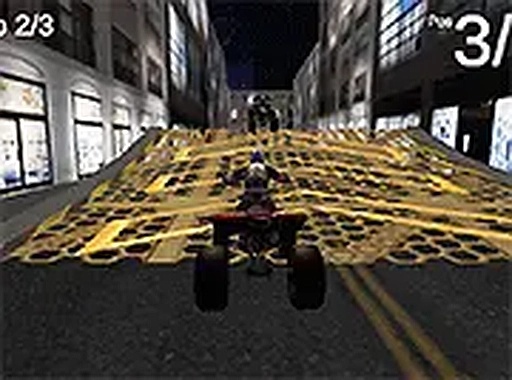
City Quad Racing 3D is a free browser-based racing simulator that places you in control of a quad bike. The game is set in detailed city environments, offering a realistic urban backdrop for high-speed racing. The core objective is to navigate through tight corners and straight sections as quickly as possible, aiming for the fastest lap times. This game is designed for desktop play and runs directly in your browser without any download. It is part of a collection of driving games, providing a straightforward and engaging racing experience for players of all ages. The urban setting adds a layer of complexity, as players must adapt to various street layouts and obstacles. The game focuses on precision driving and quick decision-making, making each lap a test of control and speed. With its accessible design, City Quad Racing 3D invites both casual and dedicated racing fans to enjoy a pure driving challenge.
How to Play
To play City Quad Racing 3D, you use your keyboard or mouse to control the quad bike. Typically, the arrow keys or WASD keys handle acceleration, braking, and steering. You can race against the clock or against opponents on urban tracks, focusing on completing laps as quickly as possible. The controls are simple to learn, making it accessible for new players. The game runs in your browser, so you just click play to start. Full screen mode is available for a more immersive view. There are no complicated menus, allowing you to jump into a race quickly. Players are encouraged to experiment with control sensitivity to find their preferred driving style. The straightforward interface ensures that you spend more time racing and less time navigating settings.
Game Features
City Quad Racing 3D includes several features that enhance the racing experience. It is a free to play 3D quad racing simulator. The game supports full screen mode for a more immersive view. Controls are responsive and work with keyboard or mouse. No download is required, so you can play instantly in your browser. The urban environments are detailed and varied. The game is optimized for desktop computers, ensuring smooth performance. It is part of a larger collection of driving games, offering variety for players who enjoy racing games. The game also provides multiple tracks, each with unique layouts and challenges. These features combine to create a polished and enjoyable racing experience that emphasizes skill and timing.
Tips for Success
To improve your performance in City Quad Racing 3D, practice on different tracks to learn the layout of corners and straight sections. Focus on maintaining a steady speed through turns rather than braking too hard. Consistent driving and smart use of acceleration will help you achieve faster lap times. Pay attention to the track ahead to anticipate upcoming turns. Taking a few practice laps before a timed race can help you get familiar with the course. Remember that precision and quick reflexes are key to mastering the urban tracks. Staying calm and focused during races will also contribute to better results.