Urban Quad Racing 3D
TAP TO PLAY

Urban Quad Racing 3D

Racing
Developer: Quartz Stone Studio
Published: 2024-10-22
Updated: 2026-06-12

Reviews

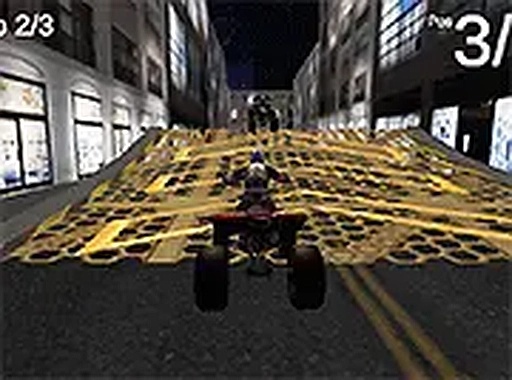
Urban Quad Racing is a well-made quad bike simulator that runs smoothly in any browser. The controls are responsive, and the urban tracks offer a good mix of straightaways and curves. The full screen mode makes the experience more engaging. It is easy to pick up for a few minutes, and the lap time challenges give it replay value. The graphics are clean and the game runs without lag. It is a solid choice for casual racing fans who want a free, no-download game.

Description

Game Introduction

Urban Quad Racing 3D is a free browser-based racing simulator that puts you behind the wheel of a quad bike. The game is set in detailed city environments, offering a realistic urban backdrop for high-speed racing. The core objective is to navigate through tight corners and straight sections as quickly as possible, aiming for the fastest lap times. This game is designed for desktop play and runs directly in your browser without any download. It is part of a collection of driving games, providing a straightforward and engaging racing experience for players of all ages.

How to Play

To play Urban Quad Racing 3D, you use your keyboard or mouse to control the quad bike. Typically, the arrow keys or WASD keys handle acceleration, braking, and steering. You can race against the clock or against opponents on urban tracks, focusing on completing laps as quickly as possible. The controls are simple to learn, making it accessible for new players. The game runs in your browser, so you just click play to start. Full screen mode is available for a more immersive view. There are no complicated menus, allowing you to jump into a race quickly.

Game Features

Urban Quad Racing 3D includes several features that enhance the racing experience. It is a free to play 3D quad racing simulator. The game supports full screen mode for a more immersive view. Controls are responsive and work with keyboard or mouse. No download is required, so you can play instantly in your browser. The urban environments are detailed and varied. The game is optimized for desktop computers, ensuring smooth performance. It is part of a larger collection of driving games, offering variety for players who enjoy racing games.

Tips for Success

To improve your performance in Urban Quad Racing 3D, practice on different tracks to learn the layout of corners and straight sections. Focus on maintaining a steady speed through turns rather than braking too hard. Consistent driving and smart use of acceleration will help you achieve faster lap times. Pay attention to the track ahead to anticipate upcoming turns. Taking a few practice laps before a timed race can help you get familiar with the course. Remember that precision and quick reflexes are key to mastering the urban tracks.


Compatibility

๐Ÿ’ป Desktop | ๐Ÿ“ฑ Mobile | ๐Ÿ“Ÿ Tablet
โ€“ All supported ยท Best with Chrome or Safari
Faq
Is Urban Quad Racing 3D free to play?
Yes, Urban Quad Racing 3D is a free browser game. You can play it directly in your web browser without any download or purchase. It is designed to be accessible to everyone, making it easy to start racing immediately.
What kind of vehicle do you drive in Urban Quad Racing 3D?
In Urban Quad Racing 3D, you drive a quad bike. Quad bikes are four-wheeled vehicles designed for off-road and on-road use. The game simulates the handling and speed of a quad bike, offering a unique driving experience compared to standard cars.
Can I play Urban Quad Racing 3D on my mobile device?
Urban Quad Racing 3D is optimized for desktop computers. While it may run on some mobile browsers, the controls and performance are designed for keyboard and mouse input on a desktop. For the best experience, it is recommended to play on a computer.
Does Urban Quad Racing 3D have different tracks?
Yes, the game features urban environments with various tracks set in city streets. These tracks include tight corners and straight sections, providing a mix of challenges. The game may include multiple tracks to race on, adding variety to the gameplay.
How do I access full screen mode in Urban Quad Racing 3D?
To play in full screen mode, look for a full screen button within the game interface. Pressing this button will expand the game to fill your entire screen, providing a more immersive view. This feature is especially useful for focusing on the race without distractions.
Is Urban Quad Racing 3D suitable for children?
Yes, Urban Quad Racing 3D is suitable for players of all ages. It features a clean and straightforward racing experience without any violent or inappropriate content. The game focuses on speed and precision, making it a family-friendly choice for anyone who enjoys driving games.
Advertisement